Portfolio
Ray-Tracer
Details
I created this application in my final year of university. The brief was to optimise a CPU-based ray-tracer on Windows, implement a method of driving it through data, and port it to Linux
I started by optimising the data structures. I switched the frame renderer to use 3D Vector, Ray, and byte-array colour structures to minimise the amount of conversions required. Next, I found that the renderer was writing each frame to the output stream pixel by pixel. I batched these into a single call for further improvement. Further CPU and memory profiling revealed numerous smaller possible optimisations throughout.
Once I had implemented all the basic optimisations, I implemented a memory manager to detect any memory leaks and patched each individually. I further improved this by implementing memory pools for various types, including the sphere used as scene objects. Finally, I spent some time making the ray-tracer thread-safe before implemented a thread pool. This was fully generic so it could be re-used elsewhere if necessary, and fully configurable as to how many threads were in the pool at any time, though it defaulted to one thread per CPU core on the host machine.
On Linux, I used pre-processor directives to change this behaviour due to the difference in parallelism on the different OS. Instead, I opted to use process forking, which provided comparable results.
All-in-all, these optimisations brought the render times for a 1080p animation down by an average of 90%!
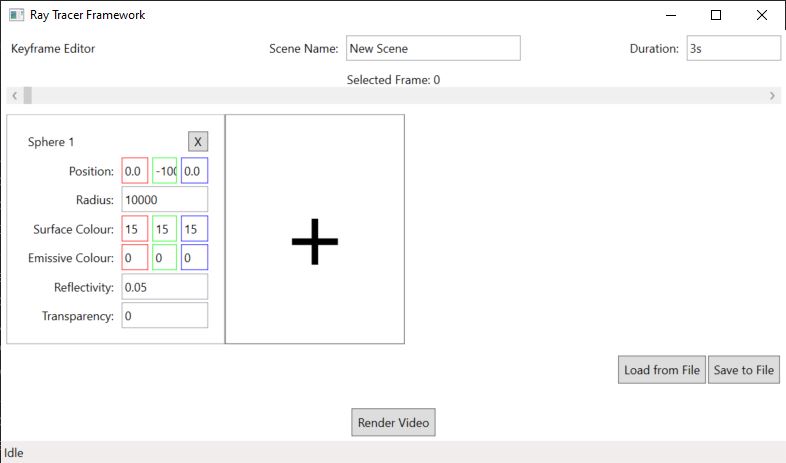
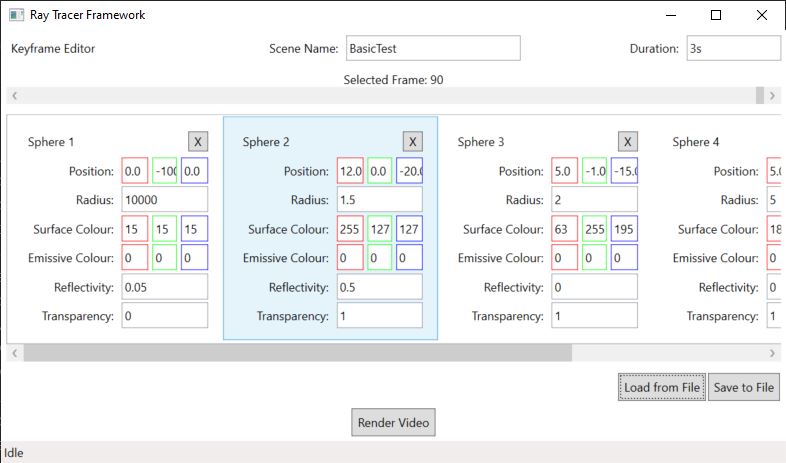
To assist with development, and fulfil the second criteria, I used WPF and C# to create a standalone GUI-driven application that could generate animation data, including saving/loading this data from file, and then run the ray-tracer. It used command-line arguments to point to the necessary data file and provide an output directory. This meant I could detect when the render was complete and automatically open the output video.
Gallery